One of the most common questions businesses ask when using an ERP and inventory management system like Stocker ERP is:
“What is the difference between POS and Add Sale?”
At first glance, both features appear to do the same thing. They both create sales records, generate invoices, update inventory, and record customer payments. Because of this, many business owners assume they are simply two different paths to the same result.
In reality, POS and Add Sale are designed for completely different business operations.
Understanding how each workflow works can help businesses improve efficiency, reduce delays, and manage both retail and wholesale transactions more professionally.
Understanding POS (Point of Sale)
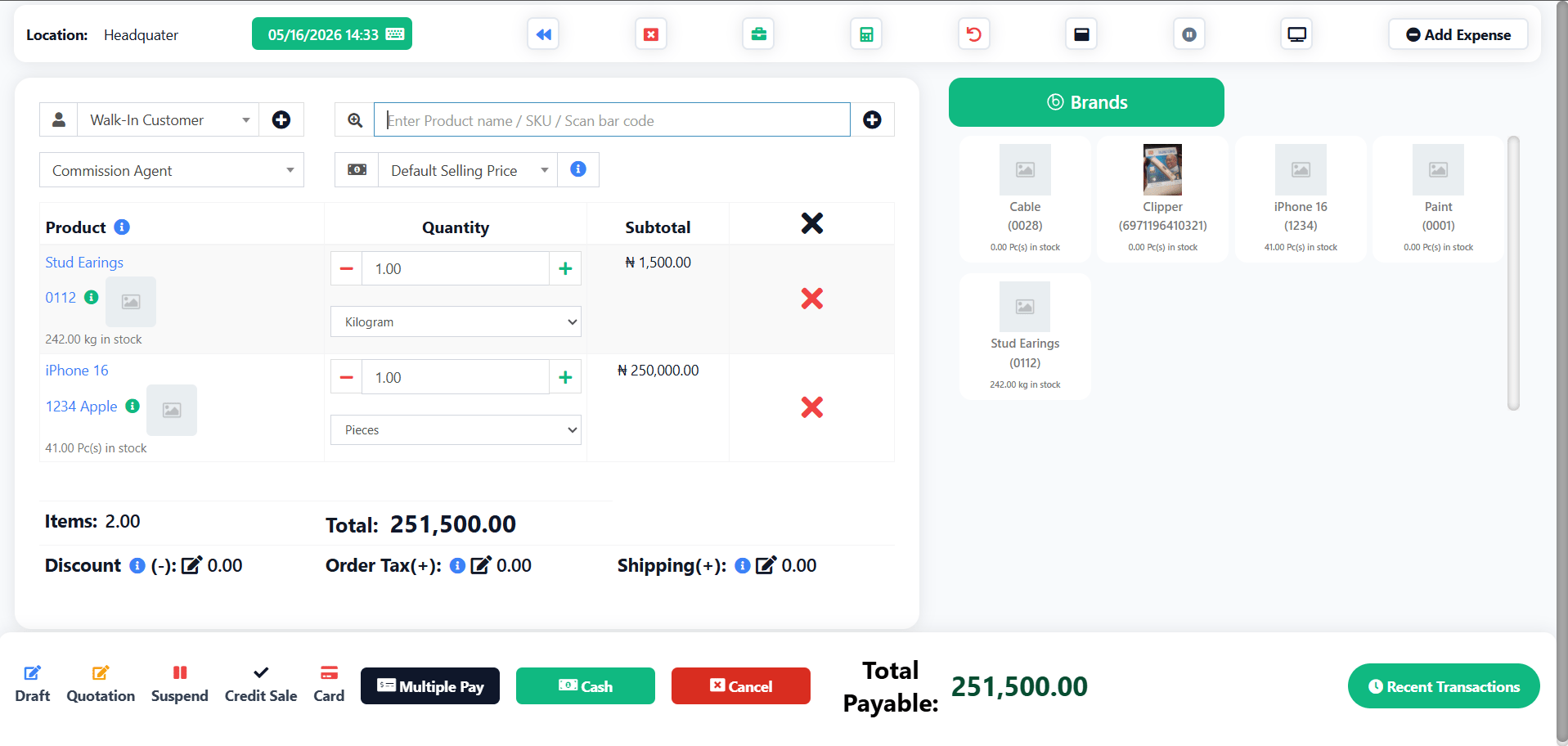
The Point of Sale module, commonly known as POS, is built specifically for fast real-time checkout. It is designed for environments where customers are physically present and speed is critical.
Think about supermarkets, boutiques, pharmacies, restaurants, gadget stores, and other retail businesses where customers are standing in line waiting to pay. In these situations, every second matters.
The POS interface is optimized to help cashiers complete transactions as quickly as possible. Instead of dealing with long invoice forms or multiple configuration settings, the cashier simply scans products, selects the payment method, and prints the receipt immediately.
The entire workflow is streamlined for speed and simplicity.
Most modern POS systems also support barcode scanners, receipt printers, POS terminals, and touchscreen devices. This allows attendants to process dozens or even hundreds of transactions daily without slowing down operations.
For example, imagine a customer walks into a supermarket in Lagos to buy bread, noodles, soft drinks, and milk. The cashier scans each item, the system calculates the total instantly, payment is collected, and the receipt is printed within seconds. Immediately after the transaction is completed, the system prepares for the next customer.
That is exactly what POS is designed for — rapid retail transactions with minimal delay.
Understanding Add Sale

While POS focuses on speed, the Add Sale feature is designed for flexibility, documentation, and detailed transaction management.
Add Sale is commonly used for back-office operations, wholesale transactions, corporate invoicing, and customized orders where businesses need more control over the sales process.
Unlike the POS screen, Add Sale looks more like a traditional ERP invoice management interface. The workflow is slower because it is built to handle more complex business requirements.
With Add Sale, businesses can include detailed customer information, configure shipping and delivery details, apply multiple tax structures, attach supporting documents, and set customized payment terms.
It also allows businesses to save transactions as drafts or quotations before converting them into finalized invoices later.
This becomes especially important in B2B environments where transactions often involve negotiations, approvals, delivery arrangements, or delayed payments.
For instance, imagine a wholesale electronics supplier selling laptops, printers, and UPS systems to a corporate organization. The client may request a quotation first, negotiate pricing, request delivery to another state, and ask for thirty-day payment terms.
That type of transaction cannot realistically be managed through a fast retail checkout screen.
Instead, the sales manager would use Add Sale to prepare a professional invoice, configure delivery details, attach purchase documents, and properly structure the transaction before finalizing it.
This is where Add Sale becomes extremely powerful.
The Core Difference Between POS and Add Sale
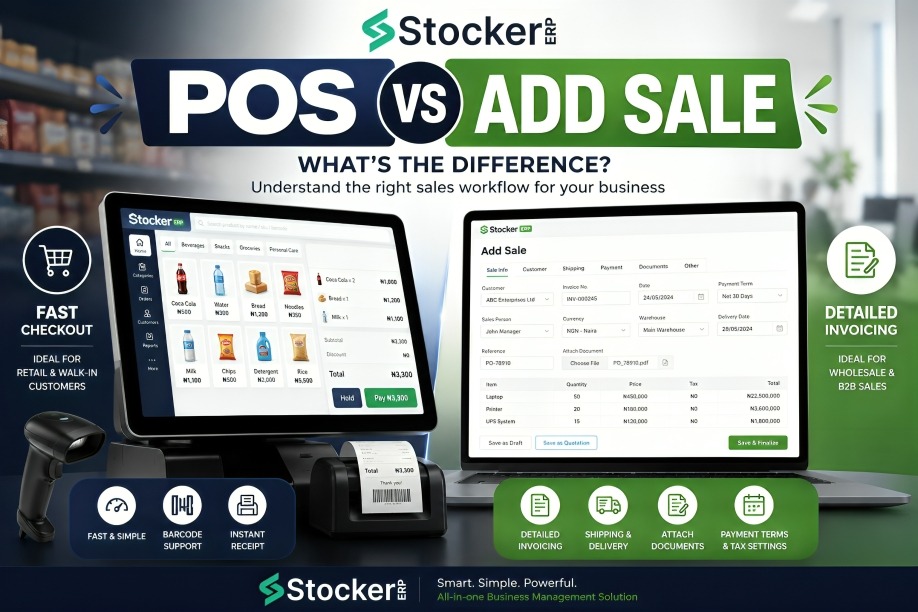
The easiest way to understand the difference is to think about customer flow and transaction complexity.
POS is designed for situations where businesses need to process transactions immediately and move quickly from one customer to the next. Its primary goal is speed.
Add Sale, on the other hand, is designed for situations where businesses need detailed control over the transaction. Its primary goal is flexibility and documentation.
A supermarket cashier handling a long queue of customers would naturally use POS because customers expect instant checkout.
However, an accountant preparing an invoice for a construction company, hospital, hotel, or wholesale buyer would use Add Sale because the transaction requires more information and more business logic.
Both systems create sales records, but they are solving completely different operational problems.
Why Modern Businesses Need Both
One mistake many businesses make is assuming they only need one workflow.
In reality, most growing businesses eventually require both POS and Add Sale functionality.
A supermarket may use POS for daily walk-in customers while using Add Sale for bulk supply transactions to restaurants or hotels.
A fashion store may process physical in-store purchases through POS while using Add Sale for Instagram vendors or wholesale customers ordering in larger quantities.
Even pharmacies often combine both workflows by using POS for everyday customers and Add Sale for hospital or clinic supply invoices.
This hybrid approach allows businesses to operate efficiently across different types of customers without forcing every transaction into the same workflow.
Modern ERP systems like Stocker ERP are designed to support both operations seamlessly.
Choosing the Right Workflow for Your Business
Using the wrong workflow can slow down operations and create unnecessary frustration.
If a cashier in a busy retail store is forced to use Add Sale for every transaction, customer queues will become longer and the checkout experience will feel inefficient.
On the other hand, trying to manage complex corporate invoices through POS may result in missing delivery information, incomplete payment structures, or poor documentation.
The right workflow depends entirely on the nature of the transaction.
Businesses that understand this difference are often able to improve operational speed, customer satisfaction, staff productivity, and overall transaction accuracy.
Final Thoughts
POS and Add Sale may appear similar on the surface, but they serve very different purposes inside an ERP system.
POS is built for fast retail operations where speed and simplicity are critical.
Add Sale is built for detailed invoicing, wholesale operations, and business transactions that require flexibility and documentation.
Neither is better than the other. They simply solve different business challenges.
For businesses that handle both retail and corporate transactions, combining these two workflows creates a more scalable and professional operation.
To learn more about ERP, inventory management, POS systems, and business automation, visit Stocker ERP Blog.